Jonas
Meta
June 8, 2023
2
min read
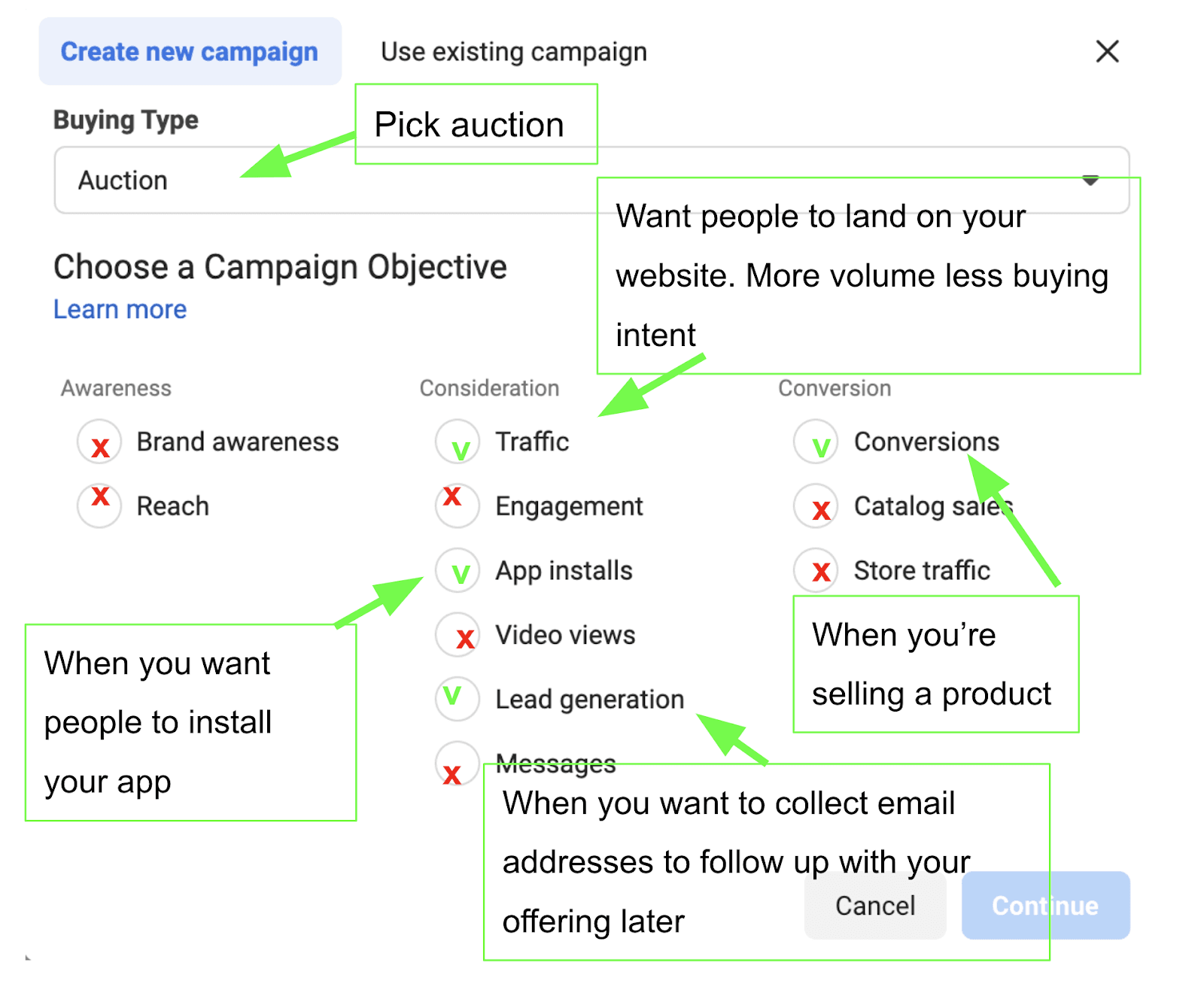
You have a product or service you want to advertise on Facebook but where do you start? Step one is to head over to Ads manager and create a new campaign. This is where you start both Facebook and Instagram ads (you’ll make a decision on where to show your ad later).
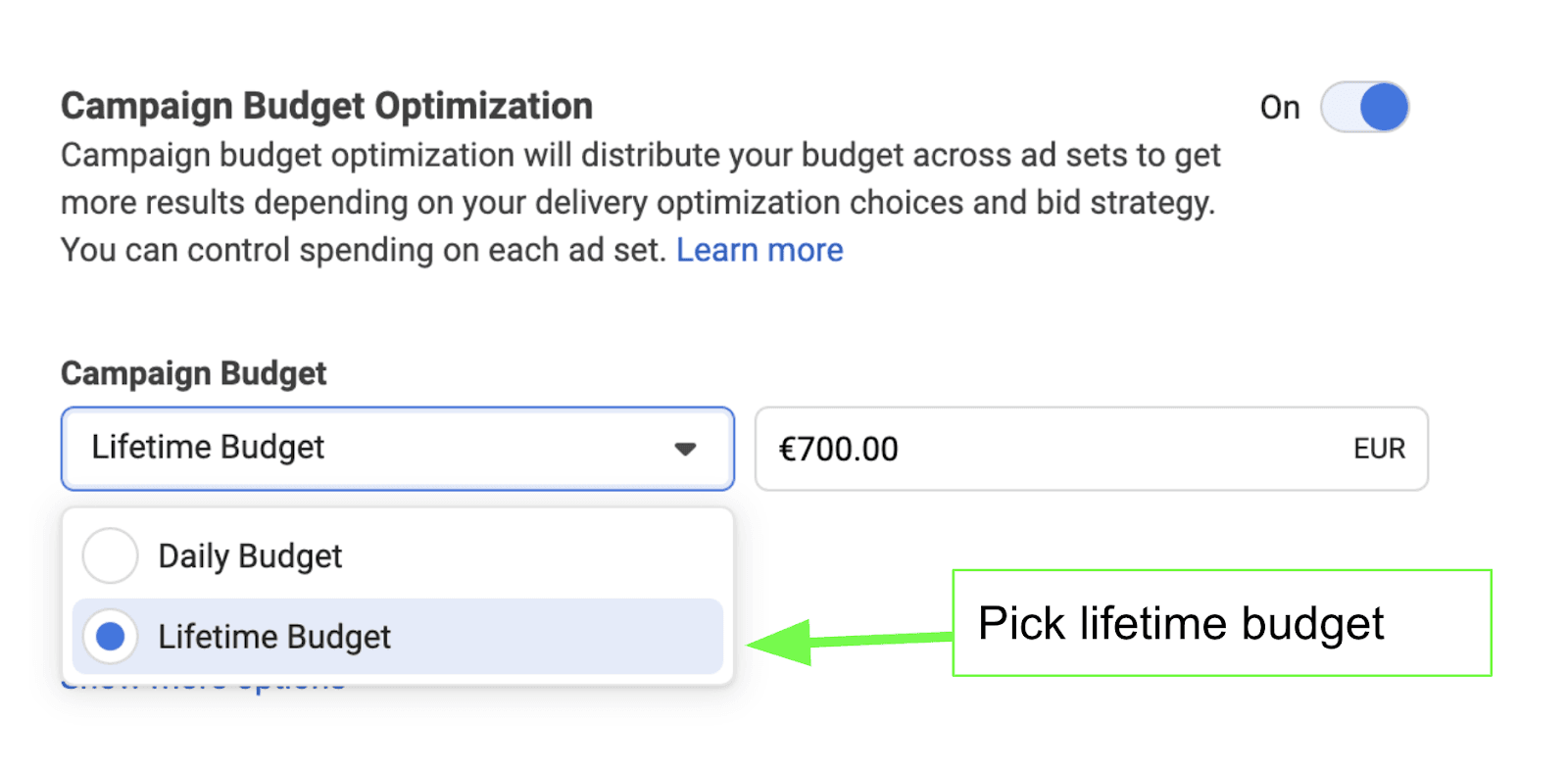
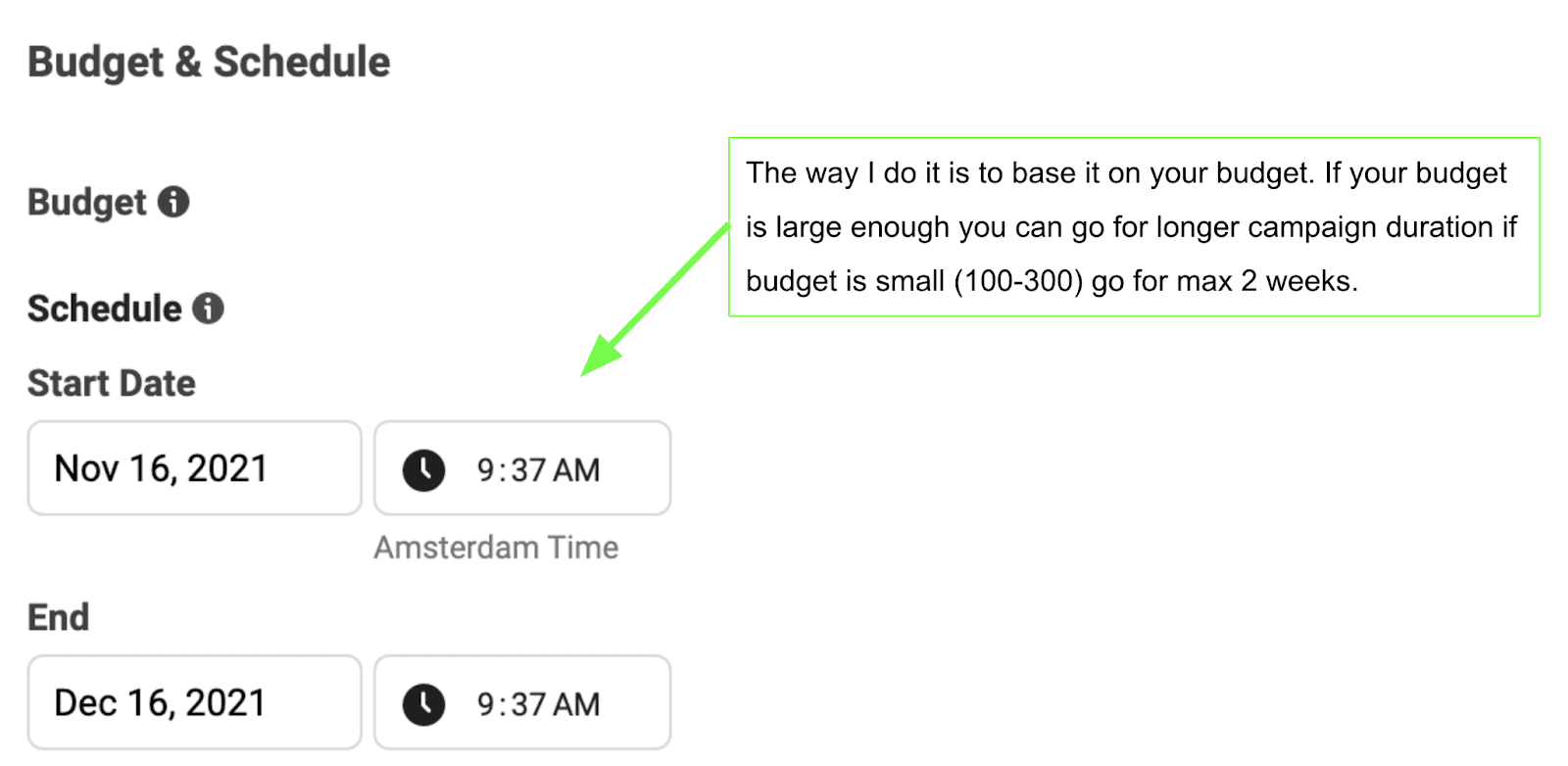
A few quick tips per screen for a basic direct response setup.
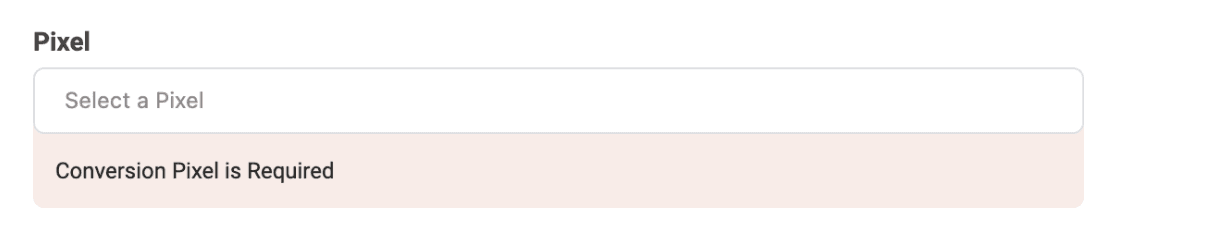
Select your pixel (read how to set up one)
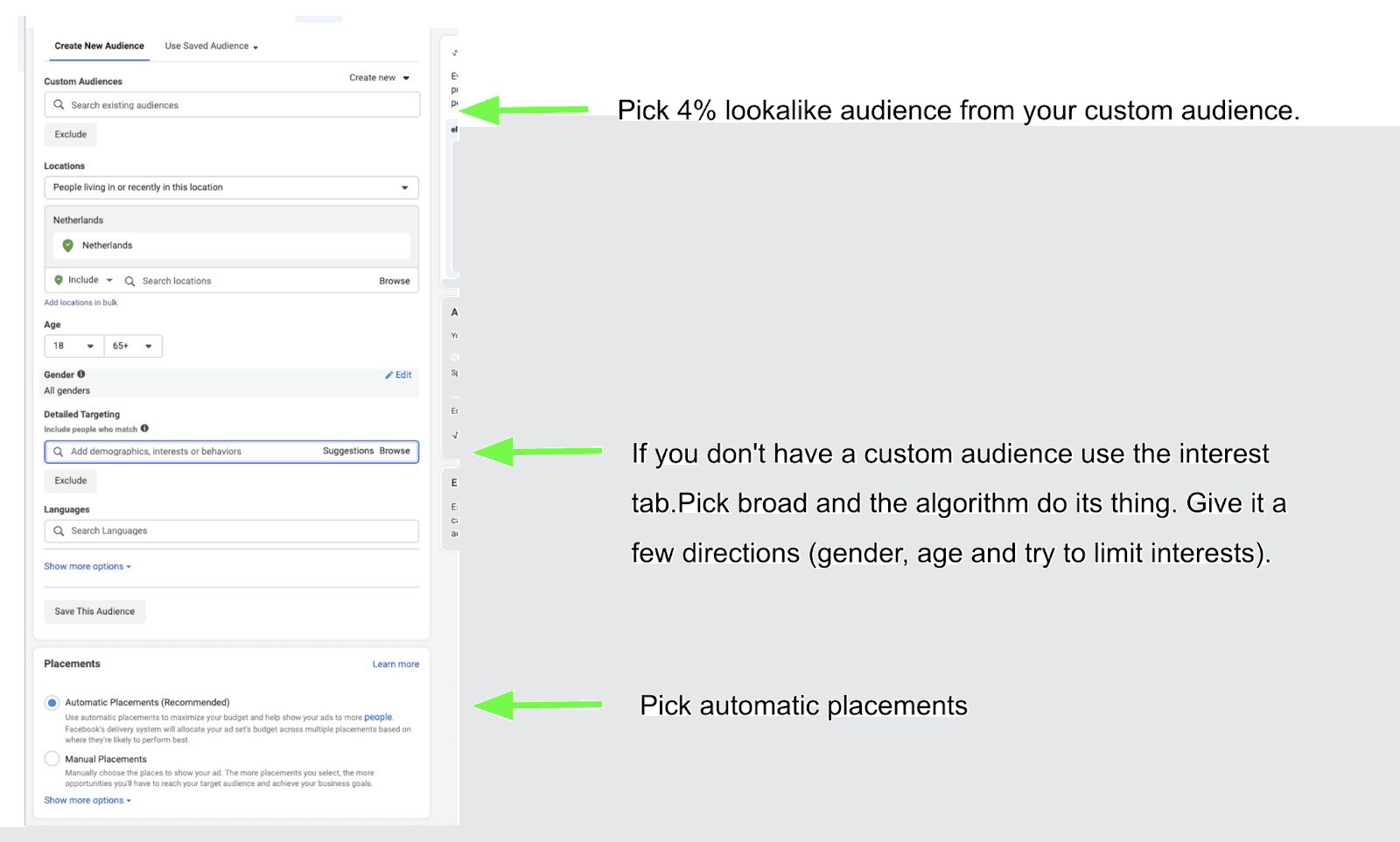
Audience:
Look-a-like is your best option. 2 ways to create one
Pixel
Upload audience
Learn how here
Next step is designing your creative. You’ll read how to set up your creative strategy in the Creative Setup part of the guide. Now we go more in-depth on understanding the campaign setup so you can develop your own competitive edge and set up all sorts of campaigns. You’ll learn about account consolidation, the learning phase, bidding and advertising in a new era (IOS 14.5) in this chapter.
Written by
Jonas
Jonas is a seasoned Social Media Advertising professional with almost a decade experience working at Meta and Snap. Jonas combines operational excellence from his experience scaling Booking , Disney and Uber on the Meta platforms with leading mid market teams focussing on e-commerce and retail. Jonas believes in the power of great data in, great data out.
More articles by
Jonas